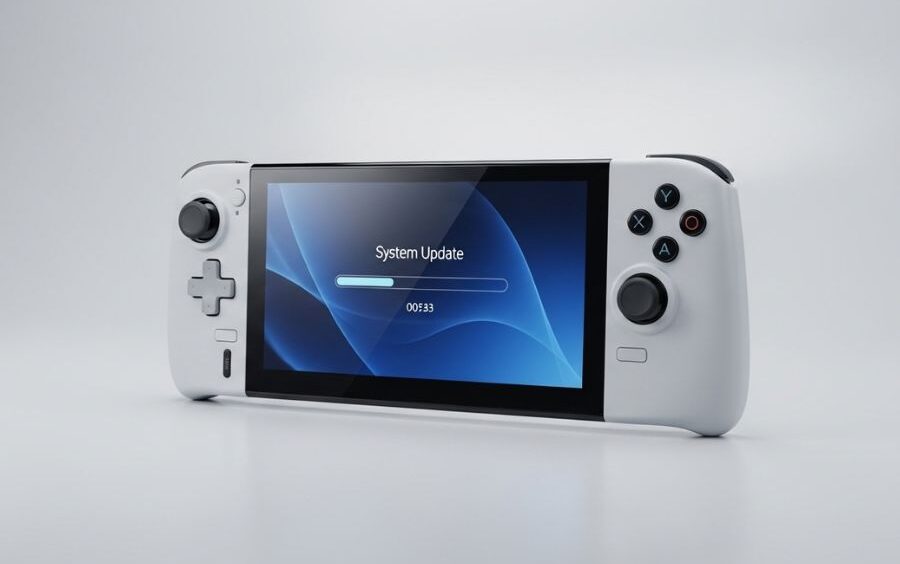
The PlayStation Portal has maintained system updates to upgrade its system in an attempt to enhance performance and stability, as well as increase user experience. Newer developments have been directed at improving cloud streaming, accessibility, and smooth gameplay as the foundation of future AI-assisted ones. Although AI help is absent in the latest changes, Sony is looking at the possibility of integrating AI in the next generation of gaming technology. Keeping up to date provides gamers with a smoother Remote Play and improved network connection as well as new functions tailored to members of PlayStation Plus Premium.
PS Portal System Updates Overview.
The PS Portal system is supposed to improve cloud streaming capability and the local gameplay experience of PS Portal updates. Every release is based on performance, accessibility, and usability evolutions. The players enjoy such services as 3D audio, fast menu navigation, passcode security, and easy access to cloud games. Continuous upgrades keep your device in line with the new PS5 titles and enhance continuity in gaming and experience in general.
Key Features Added in Recent PS Portal System Update
Sony has rolled out multiple system software updates for PS Portal. Below are some of the most notable features introduced in the latest versions:
| Version | Release Highlights | Key Improvements |
| 6.0.1 | Performance & stability improvements | Ensures smoother gameplay and future updates install efficiently |
| 6.0.0 | Cloud streaming enhancements | Play PS5 games via cloud, improved search, multiplayer invites, and accessibility options |
| 5.1.0 | System optimization | Messages & UI usability improvements |
| 5.0.0 | Cloud Streaming Beta | Sort games, capture gameplay, feedback, wait-turn notifications |
| 4.0.1 | Performance & stability | Minor usability fixes |
| 4.0.0 | PS Link support & Cloud Streaming | Connect PS Link devices, remote streaming for Premium members |
| 3.0.1 | Wider network support | Connect to select public Wi-Fi networks, 5GHz compatibility improvements |
| 3.0.0 | Public network connectivity | Touchpad feedback, battery percentage display |
| 2.0.x | System performance improvements | Stability updates across multiple minor versions |
| 2.0.0 | Initial release features | Remote Play with PS5, quick menu controls, basic settings adjustments |
Enhancements in Cloud streaming.
PS Portal updates have now become a part of cloud streaming. Features include:
- Stream PS5 and PS3 games in your library, and it needs PlayStation Plus Premium.
- Invites to multiplayer games can be made within the quick menu in-game
- Accessibility has been enhanced, such as Text Size and Screen Reader in cloud games
- Faster scanning of locating a game in the clouds.
The updates have been able to improve the reliability and the usability of streaming such that they close the divide between the console and the portable world.
User Experience Enhancements.
Every system update brings about improvements in making the device user-friendly:
- The navigable home screen is made easier.
- Access to the quick menu on most of the screens through the PS button.
- Games that support this feature have 3D audio.
- Passcode options to lock the phone.
- Status check of networks right over the quick menu.
Such enhancements will guarantee a more intense and safe gaming experience to PS Portal users.
Stability and Performance of the system.
Sony is constantly upgrading the software of PS Portal. Updates focus on:
- Quickness in the performance of the system, lessening latency in Remote Play.
- Improved stability, which avoids crashes in the middle of the game.
- Improved messages and user experience so that menus and notifications are user friendly.
Updating your system regularly ensures that everything works as you would have expected and new updates become easier to install.
Updating Your PS Portal
PS Portal System Update Tips.
Automatic updates: Allow automatic updates in order to have the latest features integrated into your device.
Fast Wi-Fi Connection: Requirement: A stable Wi-Fi connection is required to avoid gaps during the installation.
Check Version Often: It is a good practice to check system updates frequently to open up new features and corrections.
Backup Settings: Sometimes, I do a backup of my device settings before doing major updates to prevent loss of data.
Future AI Enhancements
Despite the fact that the latest updates do not involve AI functionality, Sony is considering:
- Smarter in-game suggestions using AI assistance.
- Cloud streaming performance optimization using AI.
- Individual player-friendly accessibility improvements.
These new ideas will ensure PS Portal becomes more responsive, customized and innovative.
FAQs:
Q1. What is a PS Portal system update?
It is a firmware or software patch that adds new features, security fixes, and performance improvements. Sony releases updates periodically to keep the device running smoothly.
Q2. How do I install a PS Portal update?
Go to System > Settings > Software Update. The device will detect the latest version automatically. A stable Wi-Fi connection is needed; otherwise, the download may fail.
Q3. Can PS Portal install updates without Remote Play?
Yes. System updates install independently. Remote Play is optional, but performance improvements may enhance streaming.
Q4. What should I do if an update fails?
Reset your Wi-Fi, restart the device, and check available storage. If the problem persists, try updating in safe mode.
Q5. Does Sony announce PS Portal updates in advance?
No. Sony does not share a calendar. Updates are released when bugs are found or new features are ready.
Q6. Is it mandatory for PS5 to have the latest firmware for PS Portal updates?
Yes. PS Portal works best when paired with a PS5 running the latest firmware. Outdated PS5 firmware may cause streaming issues.
Q7. Can PS Portal updates be installed offline?
No. You need an active internet connection to download and install updates.
Q8. Will data be deleted after installing an update?
Normally, no. Updates are safe to install, but interruptions may cause issues. Ensure stable Wi-Fi and sufficient battery.
Q9. What to do if I get errors after updating?
Check your network connection, keep the PS5 on close-range Wi-Fi, and disable background downloads. A factory reset is the last option for severe issues.
Q10. How big is a PS Portal update?
Patch sizes vary: small bug fixes may be a few MB, while feature updates can be 1GB or larger