How to add Creator Mode on LinkedIn: a step-by-step guide to unlock powerful tools for growing your professional presence. LinkedIn Creator Mode is now more than a mere on or off setting; it is a powerful suite of tools that allows professionals to build their following, demonstrate their professional abilities, and lead. In 2025, LinkedIn added to the creator products, such as sophisticated analytics, newsletters, AI-based audience matching, and video short-form products. By turning on Creator Mode, you can turn your profile into a follow-first hub, which is more focused on content visibility, authority, and substantial interaction with your target audience.
How to prepare your profile to create a mode.
It is vital to make your profile as impactful as possible before you switch on the Creator Mode. Your profile is strong because it has a professional photo, a powerful headline, quantifiable accomplishments in Experience, and a 30-second video introduction. Your About and Skills sections have become especially important today compared to hashtags, enabling the AI at LinkedIn to connect your expertise with interested parties. These measures will see your profile draw the right followers and make you a thought leader.
Profile Completeness Checklist.
- Professional photo and headline: Makes it clear what you are and what you are good at.
- About section: Who you help and how you do it, plus a call-to-action.
- Experience & Featured sections: Present measurable outcomes, important accomplishments, and display your content best.
Positioning for Your Niche
- Apply AI-based keywords in the sections of About, Experience, and Skills to match your audience.
- Limit your discovery to a maximum of five topics (hashtags) you are interested in.
- Include a section of a Point-of-View (POV) to create authority in your niche.
Linking to LinkedIn Creator Mode.
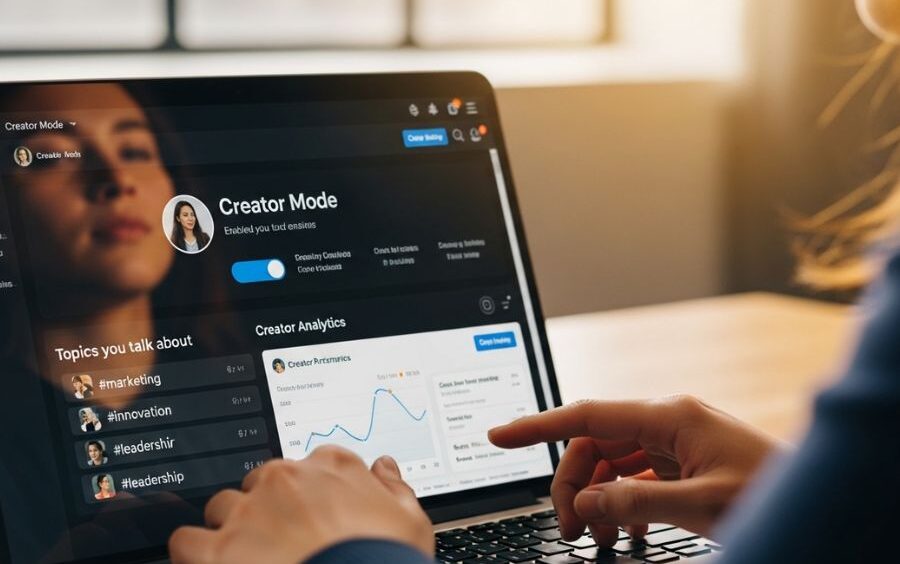
After optimizing your profile, you can use the Creator Mode under the Resources section of your profile. Select a maximum of five hashtags that describe your expertise and use the follow-first format. It will transform the main button into Follow instead of Connect, so that people can subscribe to your content more easily and increase your visibility in the search and suggested creators list.
Enabling Creator Tools
- Toggle Creator in Resources.
- Use the hashtags that are relevant to your target audience.
- Make sure that the Follow button is the primary one and that nothing but original content is in your activity feed.
Follow-First Profiles vs Connect-First Profiles.
- Follow-first: Visibility, audience, and engagement. Perfect when you are a thought leader or a content creator.
- Connect-first: Optimal when the recruiter or careerist wants one-on-one networking.
- Make a decision on the basis of your main objective: gaining power or establishing personal relations.
The optimization of Creator Mode Tools.
Creator Mode provides newsletters, short videos, and analytics to enhance interest. These tools will help you expand your audience, increase authority, and provide leads when used strategically. Use AI knowledge and regular posting to maximize the reach and make sure your profile is outstanding among other competitors.
Choosing Hashtags & Keywords
- Apply a 3+ 2 hashtag strategy: 3 general hashtags, 2 specific to the niche.
- The keywords have been placed more in the About, Experience, and Skills than the hashtags.
- Track the trends in your business.
Applying Newsletters and Videos.
- Newsletters: Gain authority and keep the audience engaged. Plan infrequent postings (once a week or once in a fortnight).
- Short videos: 30-90 seconds enhance the visibility and interest. Include headings and interesting opening lines.
- Monitor performance and content strategy with LinkedIn analytics.
Relating AI Tools to Creator Mode.
Combine Pair Creator Mode with AI-based systems such as Closely to automate outreach, CRM integration, and multichannel campaigns. Such a strategy transforms passive profile visitors into active ones, making the creation of content relevant to sales development.
Workflow Integration and analytics.
- Monitor performance of tracks, engagement data, and fan acquisition.
- Combine CRM to automate follow-ups and lead nurturing.
Close Integration Benefits
| Creator Feature | Closely Benefit |
| Newsletters | Automate follow-ups with subscribers |
| Follow Button | Targeted connection requests to key followers |
| Profile Video | Build trust using AI references |
| Analytics | Segment leads and improve outreach strategy |
FAQs:
What is LinkedIn Creator Mode?
Creator Mode is a LinkedIn profile option that puts the attention of your content and expertise. It changes your main button to the following and assists in building your following.
What is the Creator Mode of LinkedIn?
On your profile, tap Resources, switch on Creator Mode, and choose up to five hashtags that are relevant to you. Your profile transforms to a follow-first layout.
So what are the advantages of Creator Mode?
It increases the presence of content, grows following, and provides access to such authority-building tools as newsletters, analytics, and short videos.
Is Creator Mode allowed in lead generation?
Yes, with posts, videos, and newsletters, with the support of AI tools, Creator Mode will help to convert profile views into leads.
What impact does Creator Mode have on my profile layout?
Activity and Featured sections are brought to the top, About is pushed down and the main action is changed to follow or follow instead of connect as the main focus.
How can we have the most effective hashtag practices using Creator Mode?
Insert 3 and 2 niche-specific hashtags below your heading. This assists the AI at LinkedIn to connect your content to the correct audience.
Is a video required with Creator Mode?
There is an option of a 30-second Cover Story video, which is optional yet advisable. It attracts the audience and raises the chances of contact with the profile.
Is it possible to revert to a traditional profile?
No, you cannot switch off Creator Mode. Your profile goes back to the connect-first layout with all the existing content.
Does Creator Mode enhance LinkedIn algorithm presence?
Yes, unique material, topical hashtags, and popularity are keywords that make it more likely to show up in search results and recommended creators.
Can LinkedIn Creator Mode be used by everyone?
Perfect with B2B professionals, marketers, founders, recruiters, and thought leaders who want to grow a following and build credibility.